How to Install the uv Package Manager
uv is an ultrafast Rust-based package installer from Astral. Learn how to install the uv package manager globally or inside Python 3.13.5 environments.

uv is an ultra-fast package and virtual environment manager written in Rust by Astral. It runs independently of any specific system Python version, but you can install it directly inside a Python 3.13.5 environment or use it as a global tool. If you want to optimize your Python workflow, knowing how to install the uv package manager is essential.
How to install the uv package manager?
Currently, there are two ways to install uv. The first method uses the pip module bundled with Python in Linux distributions like Debian. If pip isn't installed yet on your system, you can set it up with the following command:
sudo apt install python3-pip -y
Option 1
Once pip is installed, you can install uv with the following commands:
Linux / macOS
python3.13 -m pip install uv
Windows
py -3.13 -m pip install uv
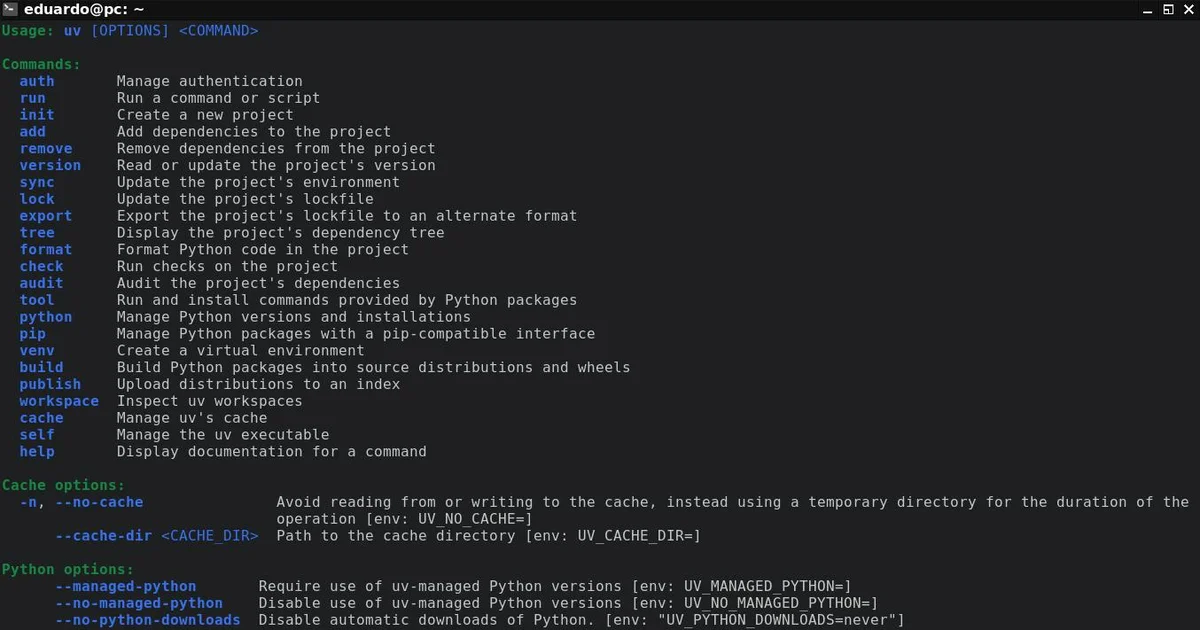
To confirm that uv was installed successfully, check its version:
uv --version
Option 2
Astral recommends installing uv as a standalone binary outside any Python environment. This allows uv to manage multiple Python interpreters (including Python 3.13 itself) without relying on pip:
Linux and macOS:
curl -LsSf https://astral.sh/uv/install.sh | sh
Windows PowerShell:
powershell -ExecutionPolicy ByPass -c "irm https://astral.sh/uv/install.ps1 | iex"
Using uv with Python 3.13.5
After installing uv, you can pin Python 3.13 or create specific environments with it:
- Download and manage Python 3.13.5 via uv:
uv python install 3.13.5
- Create a virtual environment using this specific version:
uv venv --python 3.13.5
- Activate the environment and install dependencies:
Linux/macOS
source .venv/bin/activate
Windows
.venv\Scripts\activate
Installing packages at lightning speed
uv pip install requests
Quick tip
If you're unsure which package manager to choose for your project, look at it this way:
If you are working on a small script, know exactly which packages you're installing, and don't need complex version locking, standard pip gets the job done.
However, if you're working on a large Python codebase where managing module updates and Python interpreter versions gets messy, understanding how to install the uv package manager and using it in your daily workflow is the ultimate solution.