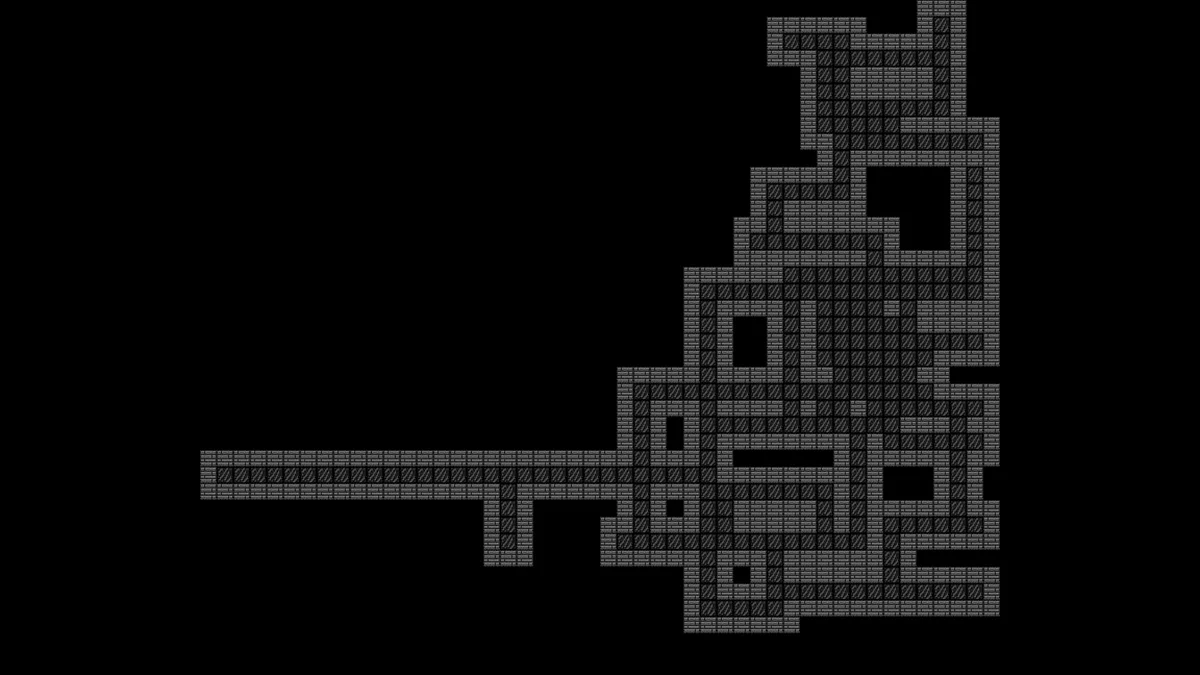
Fast Procedural Dungeon Generation Godot 4 Guide
Learn fast procedural dungeon generation godot 4 using the random walk algorithm and modern TileMapLayer nodes in this GDScript tutorial.

Procedural map generation is a staple of roguelike development, exploration RPGs, and game jam prototypes. Handcrafting dungeons and caves takes significant time; however, straightforward algorithms can deliver organic, playable, and infinitely replayable layouts with very little code.
In this guide, you will learn how to implement fast procedural dungeon generation godot 4 using the Random Walk algorithm and modern TileMapLayer nodes.
1. The Concept: How Does Random Walk Work?
The Random Walk algorithm works by simulating a "miner" or agent moving on a grid:
- Starting Point: The agent starts at the center of the map area.
- Digging: At each step, it marks its current position as floor.
- Movement: It chooses to step in one of the 4 cardinal directions (Up, Down, Left, or Right).
- Direction Change: A configured probability determines whether the agent keeps moving straight or turns, creating corridors or denser room clusters.
- Wall Generation: Once all steps are complete, the algorithm inspects all adjacent cells (8 directions surrounding every floor tile) and places wall blocks anywhere a floor tile does not exist.
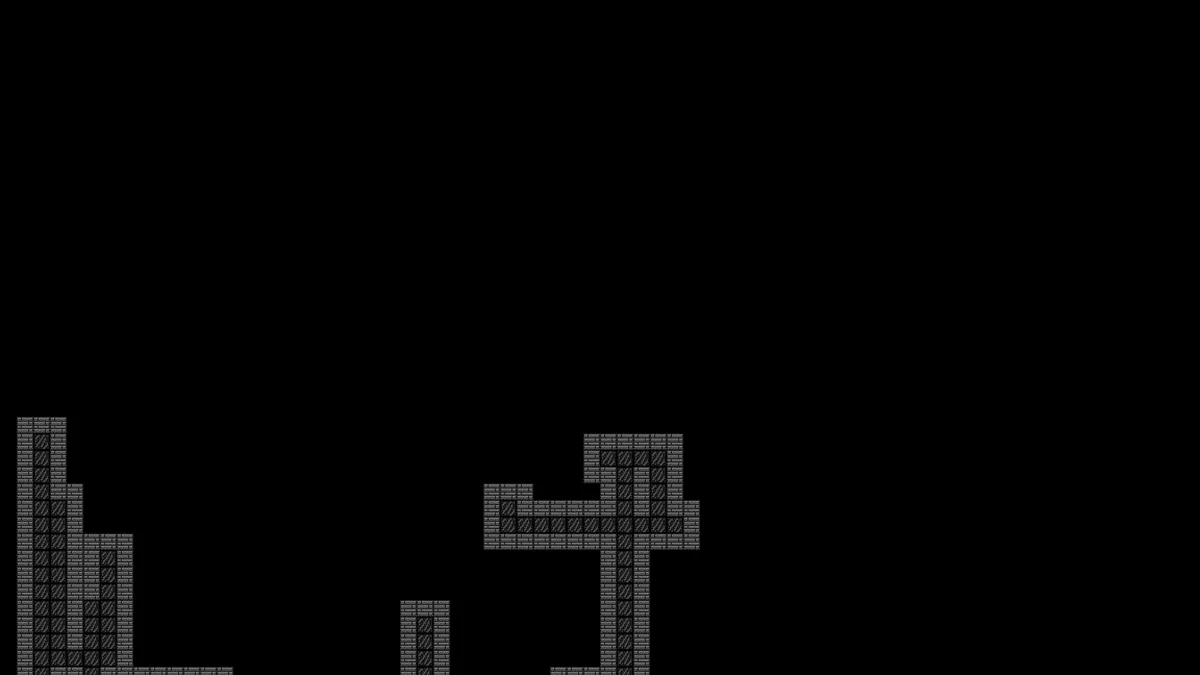
2. Setting Up Procedural Dungeon Generation in Godot 4
With Godot 4's updated architecture, the single TileMap node has been replaced by modular TileMapLayer nodes, offering cleaner scene organization, better performance, and precise layer control.
Node Structure
Create a new 2D scene with the following node tree:
DungeonGenerator (Node2D) - Attach script here
├── PisoLayer (TileMapLayer)
└── ParedeLayer (TileMapLayer)
Tileset Configuration:
- In the Inspector for ParedeLayer, create or assign a TileSet with your wall sprite (using source_id = 0 at atlas coordinates Vector2i(0, 0)).
- In the Inspector for PisoLayer, configure the floor TileSet (using source_id = 1 at atlas coordinates Vector2i(0, 0)).
- Adjust the rendering order (Z-Index) to ensure layers align properly with your visual style.
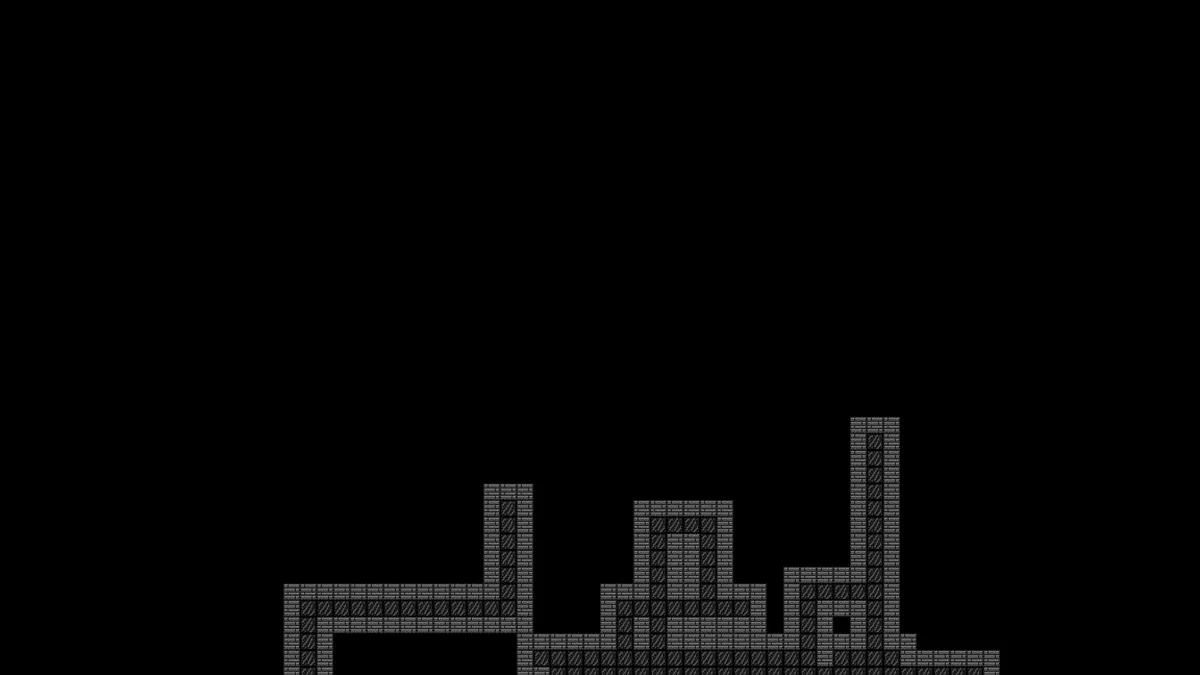
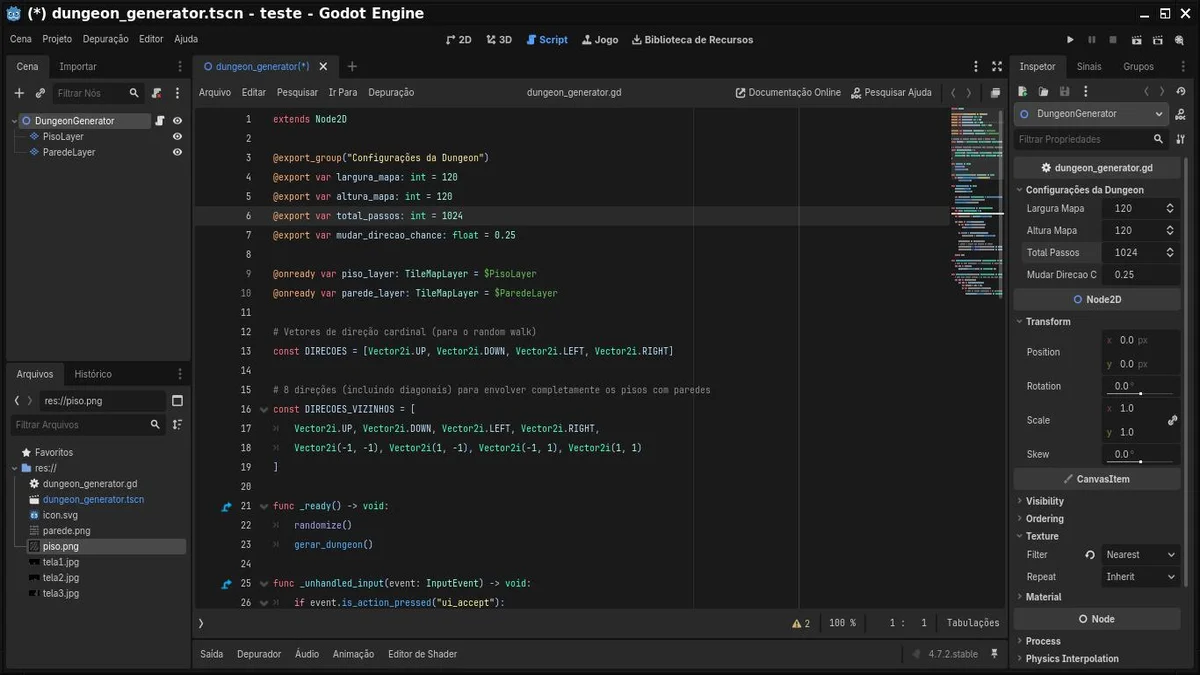
3. The Complete Script (GDScript)
Attach the following script to the root node of your scene (DungeonGenerator):
extends Node2D

@export_group("Configurações da Dungeon")
@export var largura_mapa: int = 120
@export var altura_mapa: int = 120
@export var total_passos: int = 1024
@export var mudar_direcao_chance: float = 0.25

@onready var piso_layer: TileMapLayer = $PisoLayer
@onready var parede_layer: TileMapLayer = $ParedeLayer

# Cardinal direction vectors (for random walk)
const DIRECOES = [Vector2i.UP, Vector2i.DOWN, Vector2i.LEFT, Vector2i.RIGHT]

# 8 directions (including diagonals) to completely surround floor tiles with walls
const DIRECOES_VIZINHOS = [
    Vector2i.UP, Vector2i.DOWN, Vector2i.LEFT, Vector2i.RIGHT,
    Vector2i(-1, -1), Vector2i(1, -1), Vector2i(-1, 1), Vector2i(1, 1)
]

func _ready() -> void:
    randomize()
    gerar_dungeon()

func _unhandled_input(event: InputEvent) -> void:
    # Press Space / Enter (ui_accept) to regenerate the map in real time
    if event.is_action_pressed("ui_accept"):
        gerar_dungeon()

func gerar_dungeon() -> void:
    piso_layer.clear()
    parede_layer.clear()
    var celulas_piso: Array[Vector2i] = executar_random_walk()
    preencher_tiles_piso(celulas_piso)
    gerar_paredes(celulas_piso)

func executar_random_walk() -> Array[Vector2i]:
    var piso: Array[Vector2i] = []
    var posicao_atual = Vector2i(largura_mapa / 2, altura_mapa / 2)
    var direcao_atual = DIRECOES.pick_random()

    for passo in range(total_passos):
        if not piso.has(posicao_atual):
            piso.append(posicao_atual)

        if randf() < mudar_direcao_chance:
            direcao_atual = DIRECOES.pick_random()

        posicao_atual += direcao_atual
        # Clamp agent within map bounds
        posicao_atual.x = clampi(posicao_atual.x, 1, largura_mapa - 2)
        posicao_atual.y = clampi(posicao_atual.y, 1, altura_mapa - 2)

    return piso

func preencher_tiles_piso(celulas: Array[Vector2i]) -> void:
    # Floor tile (source_id = 1, atlas coords (0, 0))
    for pos in celulas:
        piso_layer.set_cell(pos, 1, Vector2i(0, 0))

func gerar_paredes(celulas_piso: Array[Vector2i]) -> void:
    # For each neighbor next to a floor that isn't floor, place a wall tile
    for pos in celulas_piso:
        for dir in DIRECOES_VIZINHOS:
            var vizinho = pos + dir
            if not celulas_piso.has(vizinho):
                # Wall tile (source_id = 0, atlas coords (0, 0))
                parede_layer.set_cell(vizinho, 0, Vector2i(0, 0))
4. Understanding the Parameters
You can tweak your dungeon style directly inside Godot's Inspector panel without modifying code:
total_passos: Controls overall dungeon expansion. Lower values (e.g., 400 to 600) generate tight, claustrophobic caves; higher values (e.g., 1500 to 3000) produce sprawling, intricate catacombs.mudar_direcao_chance:- Lower values (0.05 to 0.15): The agent maintains heading longer, producing long, straight corridors.
-
Higher values (0.4 to 0.6): The agent changes direction frequently, carving out wide open chambers and large halls.
-
largura_mapa/altura_mapa: Confines the generator within safe bounds usingclampi(), preventing tiles from spreading endlessly.
5. Optimization Tips and Next Steps
-
Dictionary Lookup for Large Maps: If you increase
total_passosbeyond 10,000, callingpiso.has(...)on an Array slows down as the list grows ($O(n)$ complexity). Replacingcelulas_pisowith a Dictionary where coordinates act as keys (celulas_piso[pos] = true) ensures instant $O(1)$ lookups. -
Auto-tiling and Terrains: Instead of painting individual static tiles (0, 0), you can connect generation to Godot 4's Terrain (Bitmask) feature so corners, walls, and borders seamlessly auto-tile with varied art and rounded edges.
-
Player and Enemy Spawns: Your player's initial spawn point can simply be
celulas_piso.front(), while the exit portal or boss can be placed atcelulas_piso.back().
With these optimizations, your procedural dungeon generation godot 4 workflow will be ready to scale from simple game jam prototypes to full-featured roguelikes.