systemd timers vs cron: Why Staying on Cron Costs You Big
When comparing systemd timers vs cron on Linux servers, missing detailed crontab logs leaves critical jobs exposed to silent failures. See which option wins.
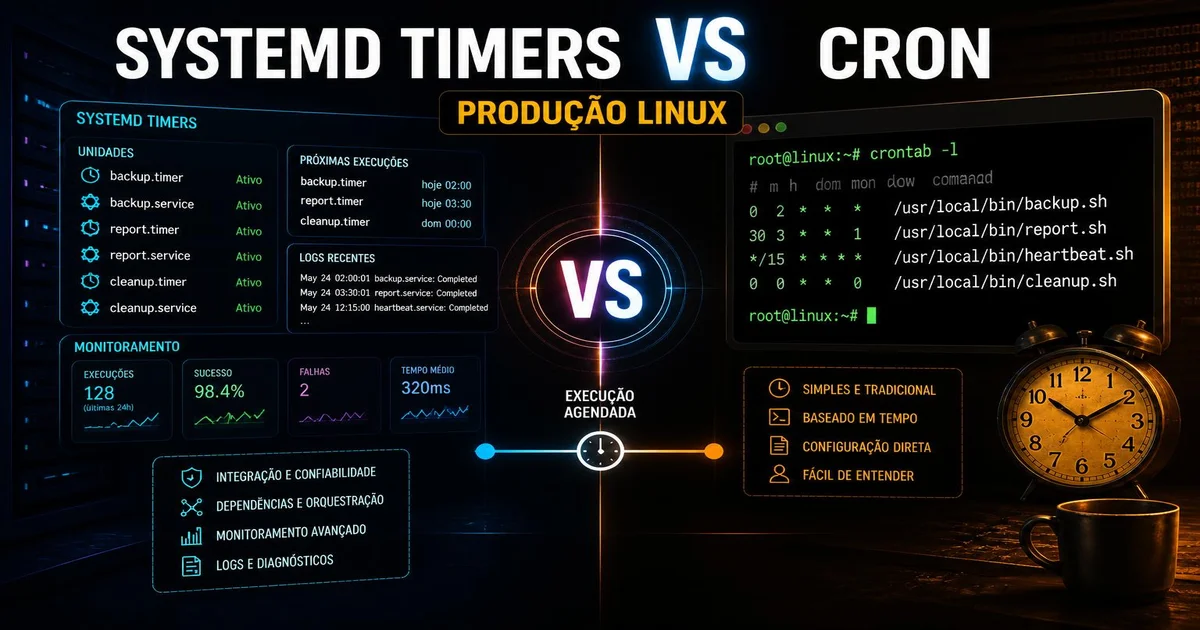
When evaluating automated routine execution on modern distributions like Debian 13.6 or Ubuntu 26.04.1, the debate over systemd timers vs cron comes up frequently. The cron daemon has served the community for decades with a concise syntax based on five fields. However, the growth of microservices-oriented architectures and containers has exposed clear limitations of the classic scheduler. Silent execution failures, lack of fine-grained resource control, and reliance on external email services for auditing have turned traditional cron into a constant source of technical debt.
Migrating to the distribution's native init scheduler is not a matter of following trends, but of operational reliability. Understanding the architectural differences between these two approaches allows you to structure maintenance tasks, backups, and Python routines with complete observability, integrating script execution directly into the operating system's lifecycle.
Why does the classic scheduler fail in modern environments?
Cron was designed in an era when servers ran a few monolithic tasks, and tracking failures depended on sending local emails via a Mail Transfer Agent (MTA) like Postfix or Sendmail. When a script scheduled via crontab fails on a modern server without a locally configured mail server, the execution error output simply gets lost. Non-zero exit codes are discarded, stdout is suppressed, and system administrators are left with zero visibility into the incident until a dependent service stops working.
Another critical limitation of cron is its intrinsic inability to handle network and storage dependencies. If a job needs to send data to a remote PostgreSQL 18.6 database at 3:00 AM, but the network interface suffers a temporary disconnection, cron blindly executes the command at the scheduled time. It lacks native mechanics to wait for DNS resolution, disk volume mounts, or the active state of another system service.
Finally, cron's time syntax does not support sub-second precision or monotonic schedules based on elapsed time since system boot. If the server date is adjusted via NTP while a job with a relative interval is waiting, cron can fire the command multiple times in a row or simply freeze execution until the clock reaches the expected value. This rigidity makes maintaining high-frequency routines extremely brittle.
How to evaluate systemd timers vs cron in production servers?
To make an informed technical decision between systemd timers vs cron, you need to analyze practical daily operational criteria. Cron maintains the advantage of initial writing simplicity: a single line in /etc/crontab or in the user's crontab editor defines both schedule and command. For trivial routines on isolated machines, this brevity still appeals to many developers.
On the other hand, systemd splits scheduling into two distinct files per routine: a service unit (.service file) that describes what should run, and a timer unit (.timer file) that specifies when execution should trigger. Although it requires more configuration lines, this separation decouples timing rules from execution rules. You can manually trigger the service for testing at any time using systemctl start minhatarefa.service without altering or mocking the scheduler's clock.
| Comparison Criterion | Traditional Cron | Systemd Timers | Production Impact |
|---|---|---|---|
| Log Integration | Requires local MTA or manual file redirection | Native via journalctl with structured output |
Captures stdout and stderr without context loss |
| Dependency Management | None | Full support (After=, Wants=, Requires=) |
Prevents execution when network or database is offline |
| Resource Control | Limited (requires external wrappers like nice/ionice) |
Native via cgroups (CPUQuota=, MemoryMax=) |
Prevents backup tasks from freezing the application |
| Missed Job Triggering | Requires separately configured anacron package |
Integrated Persistent=true attribute |
Guarantees backup execution after boot if the server was off |
| Time Granularity | Minimum 1-minute precision | Millisecond and microsecond precision | Enables high-frequency monitoring tasks |
| Monotonic Triggers | Wall-clock time only (absolute time) | Time since boot (OnBootSec=) or active (OnUnitActiveSec=) support |
Immune to timezone changes or NTP clock adjustments |
Based on these criteria, using cron becomes a liability in critical infrastructure environments. The initial overhead of creating two unit files in systemd pays immediate dividends in debugging ease and operational resilience.
How does systemd's unit-based architecture work?
The systemd ecosystem operates through units that manage operating system state. To create a time-based schedule, the daemon combines a oneshot type .service file with a .timer file that listens to system clock events. This separation offers deep advantages for information security and fault containment.
Inside the service unit, you can enforce strict execution restrictions using Linux kernel features. You can limit filesystem access with ProtectSystem=full, isolate temporary process trees with PrivateTmp=true, and cap RAM usage via cgroups v2 resource control. If a script gets compromised or enters an infinite loop while fixing a memory leak, the kernel terminates the process in isolation without taking down the rest of the host's services.
In addition, the timer file lets you set the RandomizedDelaySec= directive. In enterprise environments with dozens of virtual servers running on the same physical infrastructure, scheduling a cron backup at exactly 02:00 AM causing every VM to start disk read/write operations at the exact same second creates a thundering herd event on the I/O bus. Systemd's randomized delay spreads task starts across a controlled time window, eliminating load spikes on storage volumes.
How to create a systemd timer in practice?
Implementing a timer in practice requires creating two files in the system unit directory located at /etc/systemd/system/. Let's build a real-world example: a log cleanup and optimization routine running a Python 3.14.7 script.
First, we create the service file /etc/systemd/system/otimizador-banco.service:
[Unit]
Description=Servico de Otimizacao do Banco de Dados
After=network.target postgresql.service
Wants=postgresql.service

[Service]
Type=oneshot
User=postgres
ExecStart=/usr/bin/python3 /opt/scripts/otimizar_banco.py
MemoryMax=512M
CPUQuota=50%
ProtectSystem=full
Next, we create the corresponding timer file at /etc/systemd/system/otimizador-banco.timer:
[Unit]
Description=Timer para Otimizacao Diaria do Banco de Dados

[Timer]
OnCalendar=*-*-* 03:30:00
RandomizedDelaySec=15m
Persistent=true

[Install]
WantedBy=timers.target
To enable scheduling and check timer status on the system, use systemctl commands in the bash terminal:
# Reload systemd configuration to recognize new files
sudo systemctl daemon-reload

# Enable and start the timer immediately
sudo systemctl enable --now otimizador-banco.timer

# List all active timers on the system and remaining time until next run
systemctl list-timers --all
If the server was powered off at 03:30 AM due to scheduled maintenance, the Persistent=true directive ensures that systemd detects the missed window and executes the task immediately after boot completes. With traditional cron, this event would be completely skipped until the following day.
How to inspect logs and debug scheduling errors?
The major advantage of transitioning to timers is the end of guesswork when debugging issues. When a crontab job fails, administrators typically add manual redirections like >> /var/log/myjob.log 2>&1 in the crontab file, leaving scattered log files across the filesystem without automatic log rotation or standardized formatting.
In systemd, all standard output (stdout) and standard error (stderr) streams generated by the script are captured directly by journald. Records include microsecond-accurate timestamps, process PIDs, running users, and cgroup identifiers. You can filter routine runs directly:
# View the latest logs generated exclusively by the service unit
sudo journalctl -u otimizador-banco.service -n 50 --no-pager

# Follow service log output in real time during a manual run
sudo journalctl -u otimizador-banco.service -f
If your Python script throws an exception or a full traceback, the lines appear structured inside journald without needing external file-logging libraries in your application code. This drastically reduces mean time to resolution (MTTR) on production servers.
When does it make sense to migrate your routines to the native scheduler?
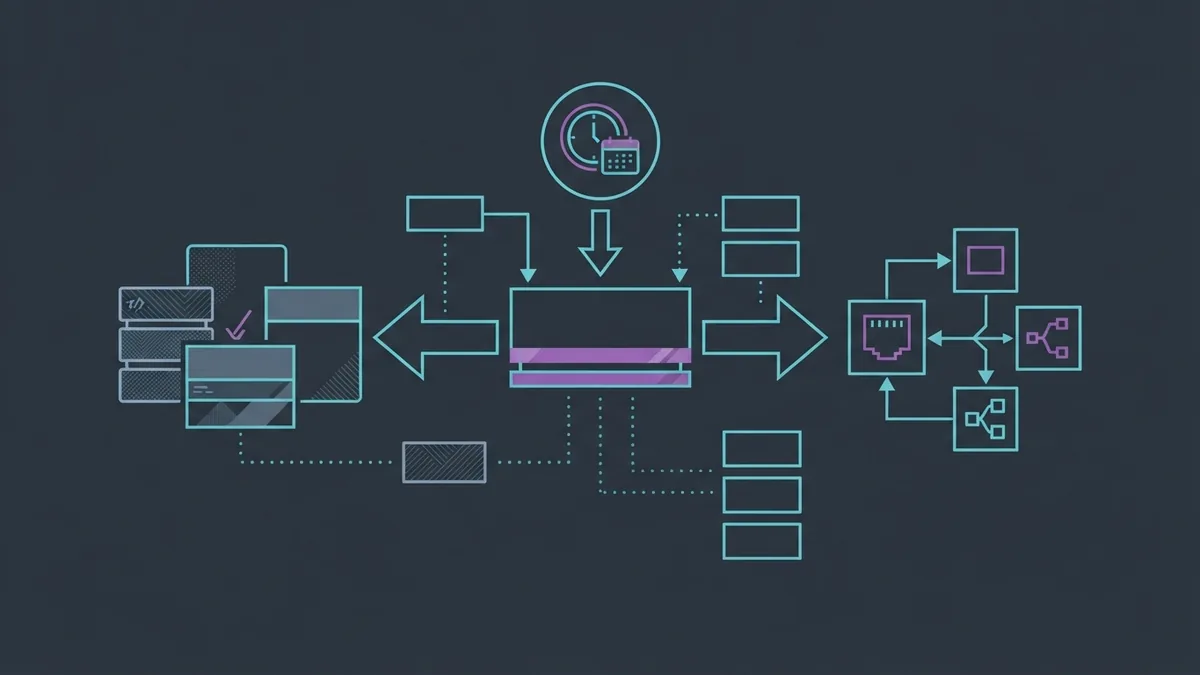
Deciding to replace cron with systemd timers comes down to evaluating the impact of task downtime on your operations. On personal servers or small disposable scripts for local development, crontab's simplicity might still suffice without major hiccups. However, for any staging, pre-production, or production environment, adopting systemd timers is the technically sound choice.
We recommend starting migration with your most critical tasks: database backup routines, automatic TLS certificate renewals, cross-region file syncs, and security scanning scripts. These tasks directly benefit from network dependency checks and reboot persistence.
The transition can happen incrementally. It is completely safe to keep cron running secondary jobs while building .service and .timer unit pairs for essential services. As your team grows comfortable with journalctl inspection commands and systemctl list-timers listings, completely disabling the cron daemon becomes a natural next step in modernizing your Linux infrastructure.
Conclusion
In the final evaluation between systemd timers vs cron, it is clear that cron served the needs of past decades well, but lacks the observability, resilience, and resource control required by modern servers. By adopting systemd's native scheduler, you gain complete control over task execution, centralized logging via journald, and the assurance that failures will not go unnoticed by your engineering team.