Build Autonomous Pipelines in Python Without the Hassle
Learn how to build autonomous pipelines in Python using AI agents for robust, self-healing automation that scales cleanly in production.

Moving from deterministic scripts to autonomous pipelines in Python represents a fundamental shift in modern software engineering. For years, workflow automation relied entirely on scheduled cron jobs, web scrapers tied to rigid regular expressions, and hardcoded conditional logic. However, when an external data source slightly alters its format or an API response strays from expectation, traditional scripts break down or fail silently. In modern production environments, introducing reasoning models inside data workflows lets you build systems capable of reading context, making real-time conditional decisions, and self-correcting before errors hit end users.
Building an autonomous pipeline doesn't mean swapping out your codebase for loose Large Language Model (LLM) calls. On the contrary, solid software design requires LLMs to operate only at points of dynamic reasoning and uncertainty, while core infrastructure, type safety, and I/O orchestration remain strictly managed by Python 3.14.7. Resilient architectures pair static typing and rigorous validation with the flexibility of agent-driven decision-making.
Why does traditional script-based automation fail?
Traditional conditional scripts run on the assumption of complete determinism. As long as input $A$ produces output $B$, everything works fine. Yet in real-world data engineering, legacy integrations, and support ticket routing, incoming data is rarely clean or predictable. A customer support email can express a cancellation request in dozens of idiomatic ways; a PDF report might shift its column layout after a routine vendor update.
Attempting to cover every variation with nested if/else statements yields fragile, unmaintainable code. Every single edge case adds another conditional branch, piling up massive technical debt. When a web page element updates its CSS selector or a payload introduces an unexpected type, the script crashes. The result is an endless cycle of reactive maintenance where developers waste hours fixing scripts that broke over minor input noise.
Autonomous pipelines solve this by introducing cognitive resilience. Instead of relying on explicit rules for every edge case, they leverage inference-capable agents to evaluate data context, select the right tool, and verify that outputs meet expected criteria before advancing down the execution path.
How do you structure autonomous pipelines in Python to prevent production failures?
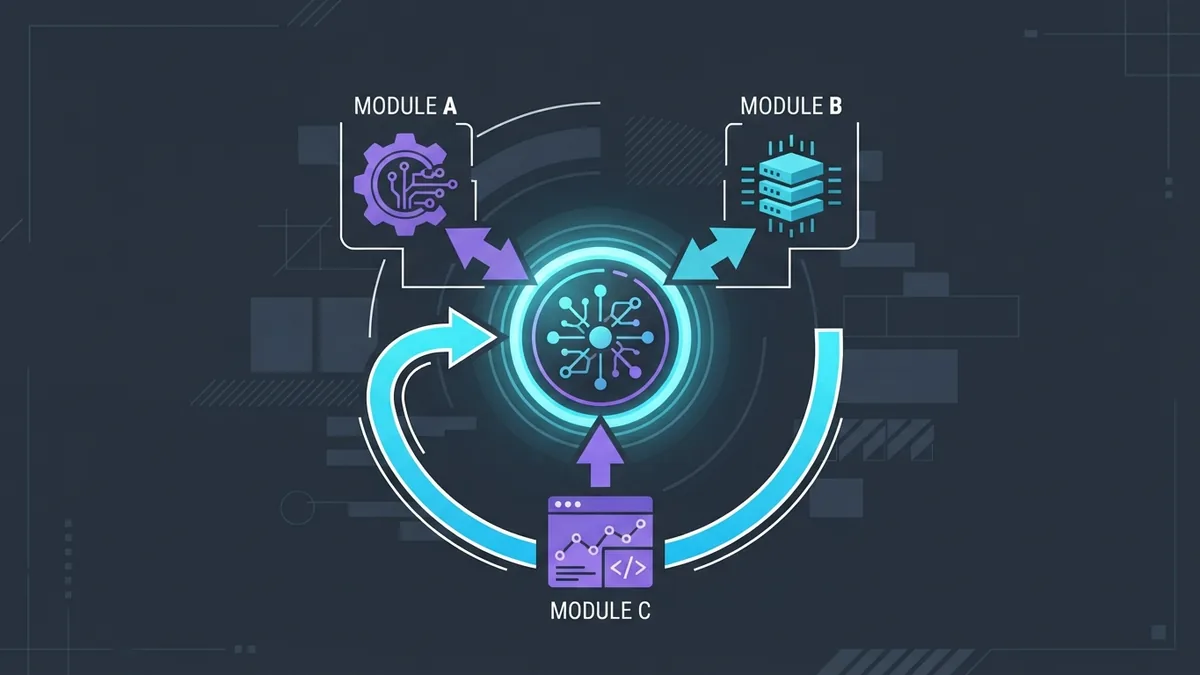
Building autonomous pipelines in Python requires a clear decoupling across four key layers: the context layer (state), the orchestrator (decision agent), tools (pure Python functions), and guardrails. Without this separation, your pipeline quickly becomes brittle and unpredictable.
Pipeline state must remain immutable or be governed by strict validation schemas. Using libraries like Pydantic alongside native features in Python 3.14.7, you can define data models that guarantee—regardless of the agent's routing decisions—that data passing between steps strictly adheres to your system's interface contracts.
from typing import Annotated, Literal
from pydantic import BaseModel, Field

class TaskAnalysis(BaseModel):
    intent: Literal["process_invoice", "escalate_support", "ignore"]
    confidence_score: float = Field(ge=0.0, le=1.0)
    reasoning: str
    extracted_entities: dict[str, str]

class PipelineState(BaseModel):
    raw_input: str
    analysis: TaskAnalysis | None = None
    execution_status: Literal["pending", "completed", "failed"] = "pending"
    retry_count: int = 0
The decision layer reads the current state, evaluates pipeline goals, and determines which tool (function) to call next. If a tool returns a recoverable error—such as a transient connection drop or incomplete data format—the agent captures the exception inside a reflection loop, adjusts input parameters, and retries execution a set number of times before escalating to a critical failure.
What is the difference between a linear script and an autonomous agent?
Knowing exactly when standard automation falls short and calls for AI agents prevents over-engineering your system. The table below compares the core characteristics of each approach:
| Evaluation Criterion | Traditional Linear Script | DAG Workflow (e.g., Airflow) | Autonomous Agent Pipeline |
|---|---|---|---|
| Decision-Making | Static conditionals (if/else) |
Fixed directed acyclic graph | Dynamic reasoning via LLM/LMM |
| Exception Handling | Immediate failure or try/except block |
Rerun entire task | Contextual self-healing and retries |
| Data Adaptability | Requires strict, immutable schema | Tolerates minor variations via code | High tolerance for unstructured data |
| Maintenance Complexity | Grows exponentially with edge cases | High when restructuring graphs | Low for new business rules |
| Execution Cost | Near zero (pure CPU) | Low/Medium (infrastructure) | Medium/High (API token consumption) |
DAG workflows excel at moving terabytes of predictable data. However, when your pipeline must interact with volatile client APIs, process natural language messages, or navigate legacy software where responses depend on business context, autonomous agents outpace static workflows in adaptability and fault tolerance.
How do you implement tool calling and decision loops in Python?
To build a reliable decision loop in Python without locking yourself into opaque third-party framework abstractions, you can implement a function-calling pattern. This pattern provides full visibility into what the agent executes and simplifies writing deterministic unit tests.
In the example below, we define isolated tools as typed Python functions and build an orchestrator that manages the reasoning-action-observation loop:
import json
import logging
from typing import Callable, Any

logging.basicConfig(level=logging.INFO)
logger = logging.getLogger("AgentPipeline")

def fetch_customer_data(customer_id: str) -> dict[str, Any]:
    """Fetches customer registration data from the database."""
    # Simulated database lookup
    logger.info(f"Executing fetch_customer_data for ID: {customer_id}")
    return {"id": customer_id, "status": "active", "tier": "enterprise"}

def calculate_discount(tier: str, base_price: float) -> float:
    """Calculates the applicable discount based on customer tier."""
    logger.info(f"Calculating discount for tier: {tier}")
    if tier == "enterprise":
        return base_price * 0.20
    return base_price * 0.05

class AutonomousOrchestrator:
    def __init__(self):
        self.tools: dict[str, Callable[..., Any]] = {
            "fetch_customer_data": fetch_customer_data,
            "calculate_discount": calculate_discount
        }

    def execute_tool(self, tool_name: str, arguments: dict[str, Any]) -> str:
        if tool_name not in self.tools:
            raise ValueError(f"Tool '{tool_name}' not registered.")
        try:
            result = self.tools[tool_name](**arguments)
            return json.dumps({"status": "success", "data": result})
        except Exception as e:
            logger.error(f"Error executing {tool_name}: {e}")
            return json.dumps({"status": "error", "message": str(e)})

    def run_pipeline(self, initial_payload: dict[str, Any]) -> None:
        logger.info("Starting autonomous pipeline...")
        # The agent decides the sequence of tools to invoke based on context
        customer_id = initial_payload.get("customer_id")

        # Step 1: Execution of the first tool selected by the agent
        raw_data = self.execute_tool("fetch_customer_data", {"customer_id": customer_id})
        data_obj = json.loads(raw_data)

        if data_obj.get("status") == "success":
            tier = data_obj["data"]["tier"]
            # Step 2: The agent interprets the previous result and calls the next step
            discount_result = self.execute_tool("calculate_discount", {"tier": tier, "base_price": 1000.0})
            logger.info(f"Final pipeline result: {discount_result}")
        else:
            logger.warning("Pipeline halted due to error in data lookup.")

if __name__ == "__main__":
    orchestrator = AutonomousOrchestrator()
    orchestrator.run_pipeline({"customer_id": "usr_9823"})
The snippet above illustrates the internal tool-dispatch mechanics. In a system backed by an LLM, selecting the method name (tool_name) and arguments (arguments) is handled by model inference based on the JSON schema exposed by your app, while execution remains safely contained within your Python environment.
How do you ensure resilience, monitoring, and traceability in the pipeline?

Introducing non-deterministic components into autonomous systems presents distinct observability challenges. When an agent decides to alter the standard flow for a data batch, you need complete visibility into why it made that decision, which API calls were made, and what computational and financial overhead was incurred.
To keep production pipelines under control, adhere to these essential engineering practices:
- Structured Logging and Tracing: Use libraries such as OpenTelemetry to capture continuous traces for every step of the agent loop. Log the exact prompt, raw API response, executed tools, and execution latency at each phase.
- Strict Execution Guardrails: Set hard iteration caps for each execution (for instance, a maximum of 5 tool calls per task). This prevents agents from getting trapped in infinite retry loops and exhausting your LLM API quotas.
- Cost and Latency Management: Implement local caching mechanisms for identical inference calls. When processing repeated inputs, caching avoids re-computing embeddings or re-running expensive LLM prompts.
- Human-in-the-Loop Fallbacks: If the agent's confidence score drops below a pre-set threshold (such as 75%), pause execution, persist state to your database, and fire a webhook to alert a human operator for manual review.
By enforcing these boundaries, your system gains the autonomy needed to handle edge cases and data shifts without risking database integrity or running over budget.
Shifting from traditional automation to intelligent systems doesn't require discarding battle-tested coding practices or rewriting your infrastructure from scratch. By combining Python's strong typing with strict validation and isolated decision loops, you can build autonomous pipelines in Python that adapt to evolving infrastructure demands, ensuring resilience, low maintenance overhead, and high production reliability.