Prevent Save Corruption: Build a Godot 4 Save System
Learn how to build a robust godot 4 save system with atomic writing and encryption to prevent file corruption and player cheating in your game.

Saving player progress seems like a trivial task until the first corrupted file report arrives after your game launches. During development, many creators rely on basic file opening and writing calls without considering sudden power loss, OS crashes, or forced process termination. Building a godot 4 save system that is fail-safe requires more than dumping dictionaries into the user folder: it demands atomic write architecture, integrity validation, and protection against external tampering.
Data persistence in commercial games must handle hostile environments. If a computer shuts off during the exact millisecond the disk pointer overwrites the save file, the result is a truncated zero-byte file and an angry player who lost dozens of hours of progress. In this article, you will learn how to overcome these limitations using native features in Godot 4.7.2, building a resilient, production-ready disk writing pipeline.
Why Direct File Writing Corrupts Production Save Files
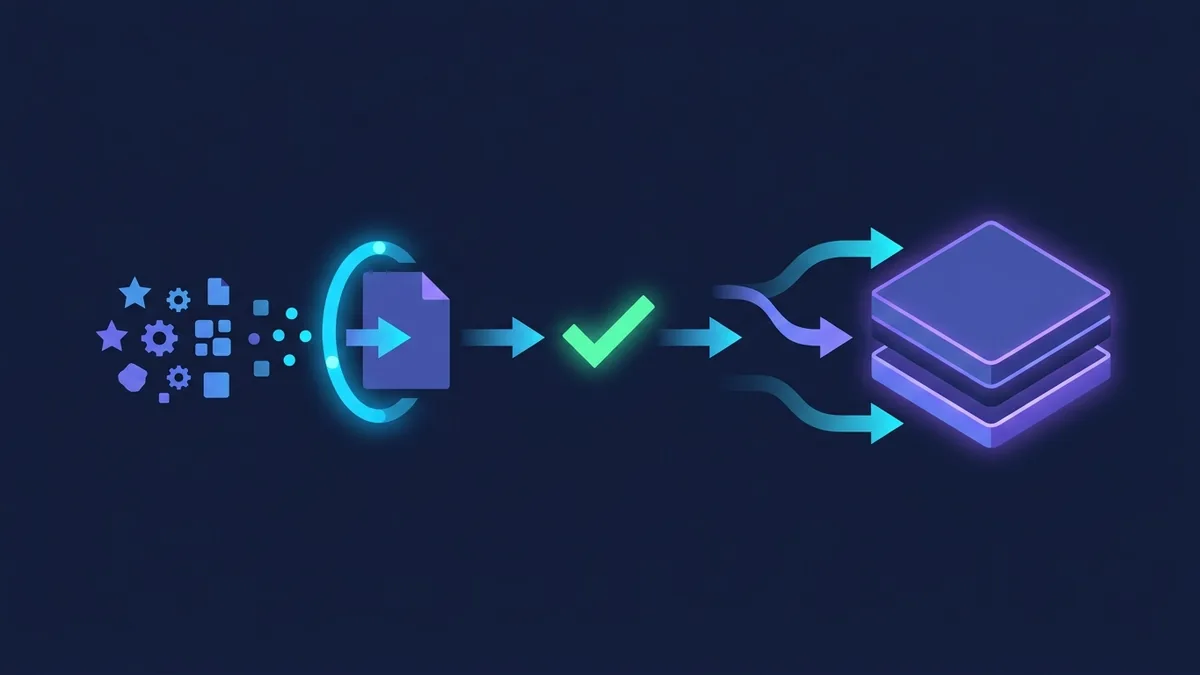
The naive approach to saving game state is opening a file in write mode, serializing nodes or variables into formatted text, and immediately closing the file handle. The core flaw in this strategy lies in how operating systems manage secondary storage. When you call file write methods, the OS does not instantly write data to physical SSD or HDD sectors. Instead, it buffers the content in RAM to optimize I/O operations.
If the game terminates abruptly due to an application crash, power outage, or Task Manager closure while that buffer is flushing, the existing disk file is partially cleared before new data is fully written. This leaves the file in an inconsistent state, corrupting its internal data structure.
Another critical factor is thread synchronization. In medium-to-large projects, saving game data synchronously on the main thread causes noticeable frame hitches in the UI. However, kicking off save operations on background threads without strict concurrency controls leads to race conditions, where multiple operations attempt to access and modify the same file at once.
Finally, there is the challenge of evolving game data structures. As updates and patches ship, your player state schema changes. If your code tries to load an older save file without handling missing or deprecated fields, the parser throws runtime exceptions and breaks loading entirely. To avoid these catastrophic scenarios, you need an architecture centered around atomic writing.
How to Securely Structure a Godot 4 Save System
There are two primary approaches in Godot for persisting game state: saving custom resource files with ResourceSaver or serializing state into dictionaries converted to JSON. While using native resources derived from the Resource class is extremely convenient inside the editor, it introduces serious security and compatibility risks when shipped in exported release builds.
Resource files (.tres or .res) can contain embedded executable scripts. If your game loads modified resource files from third parties via ResourceLoader.load(), the engine instantiates that data, opening the door for arbitrary code execution on the player's machine. For this reason, the community and official technical documentation recommend reserving Resource objects for static design data and using JSON alongside strongly typed dictionaries for user save files.
The following table compares key evaluation criteria to help guide your technical decision:
| Evaluation Criteria | Saving with Resource (.tres) | Saving with JSON (.json) |
|---|---|---|
| Protection against malicious code | Low (can load arbitrary GDScript) | High (pure data, no execution) |
| Ease of manual debugging | Medium (Godot native syntax) | High (human-readable and editable text) |
| Data version migration | Complex and error-prone | Simple (dynamic key manipulation) |
| Read/write performance | Very high (native binary) | High (optimized C++ parser) |
| Direct native encryption | Requires custom packaging | Native support via FileAccess |
To build a secure pipeline, we define an isolated GDScript service class to handle all I/O operations inside the secure user:// directory. This class converts game state into a hierarchical structure of primitive types, validates content before writing, and applies a temporary file strategy.
How to Implement Atomic Writing with Temporary Files in GDScript
Atomic writing guarantees that a save operation completes entirely or leaves the original file untouched. This is achieved by writing all data to an intermediate temporary file with a .tmp extension. Only when the write operation succeeds and the buffer flushes does the temporary file replace the official save file via an OS-level rename operation.
Replacing an existing file via rename is atomic on modern file systems. If power drops while writing to the .tmp file, the original save file remains completely intact and functional on disk. Below is a complete, working implementation of this technique for Godot 4.7.2:
class_name SaveManager
extends Node

const SAVE_PATH: String = "user://savegame.json"
const TEMP_PATH: String = "user://savegame.tmp"

static func save_game_data(data: Dictionary) -> Error:
    var json_string: String = JSON.stringify(data, "\t")
    var file := FileAccess.open(TEMP_PATH, FileAccess.WRITE)

    if file == null:
        var err := FileAccess.get_open_error()
        printerr("Failed to create temporary save file: ", err)
        return err

    file.store_string(json_string)
    file.flush()
    file.close()

    if not FileAccess.file_exists(TEMP_PATH):
        printerr("Temporary file was not found on disk.")
        return ERR_FILE_NOT_FOUND

    var dir := DirAccess.open("user://")
    if dir == null:
        printerr("Failed to access user directory.")
        return DirAccess.get_open_error()

    if FileAccess.file_exists(SAVE_PATH):
        var remove_err := dir.remove(SAVE_PATH)
        if remove_err != OK:
            printerr("Failed to remove old save file: ", remove_err)
            return remove_err

    var rename_err := dir.rename(TEMP_PATH, SAVE_PATH)
    if rename_err != OK:
        printerr("Failed to rename temporary file to final save: ", rename_err)
        return rename_err

    print("Game saved successfully atomically at: ", SAVE_PATH)
    return OK

static func load_game_data() -> Dictionary:
    if not FileAccess.file_exists(SAVE_PATH):
        print("No save file found. Returning default data.")
        return {}

    var file := FileAccess.open(SAVE_PATH, FileAccess.READ)
    if file == null:
        printerr("Error opening save file for reading: ", FileAccess.get_open_error())
        return {}

    var content := file.get_as_text()
    file.close()

    var json := JSON.new()
    var parse_result := json.parse(content)

    if parse_result != OK:
        printerr("Error parsing JSON at line ", json.get_error_line(), ": ", json.get_error_message())
        return {}

    var data: Variant = json.get_data()
    if typeof(data) != TYPE_DICTIONARY:
        printerr("Invalid save format. Expected Dictionary.")
        return {}

    return data as Dictionary
In the code snippet above, we call flush() right after store_string(). This forces the operating system to clear its memory buffer and write bytes to disk immediately, ensuring the .tmp file is complete before DirAccess renames it.
How to Encrypt Player Data with FileAccess in Godot 4.7.2
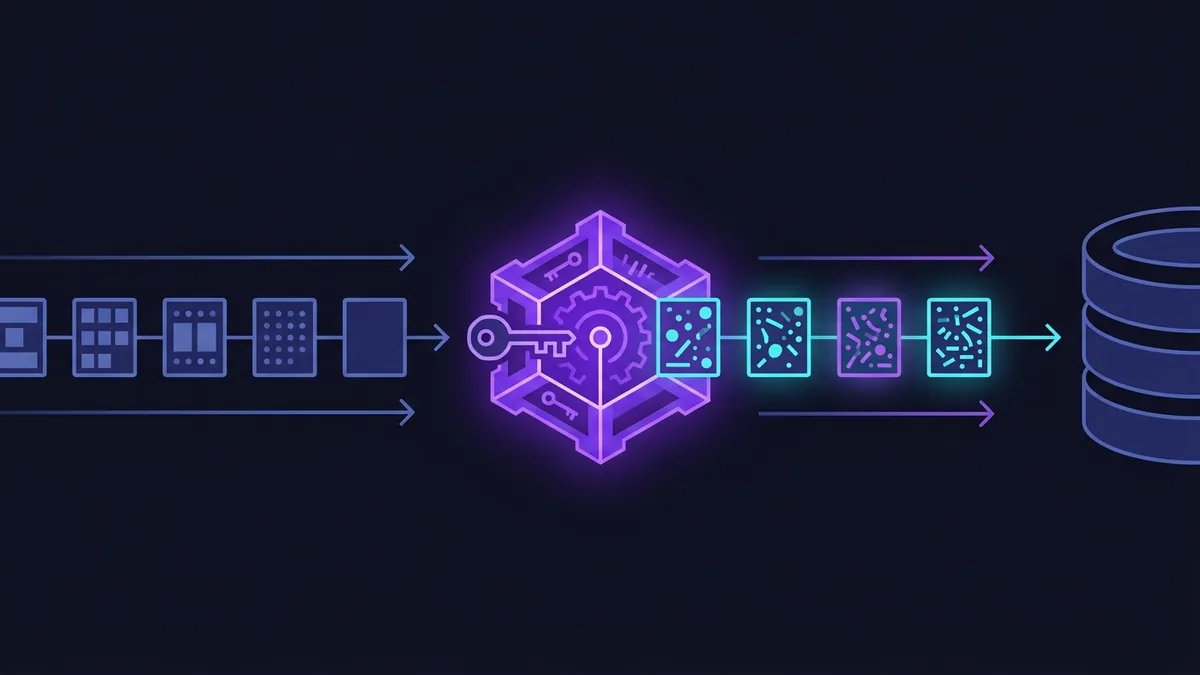
In offline games featuring achievements, in-game economies, or competitive leaderboards, storing raw plain-text data in the user folder invites tampering. Players can open .json files in Notepad and modify gold, character level, or health stats with minimal effort.
To protect save files from direct tampering, Godot provides built-in support for symmetric encryption via FileAccess. Encrypted file handlers can be opened using open_encrypted_with_pass or open_encrypted. Encryption uses AES-256, requiring an encryption key to encrypt and decrypt content during read and write operations.
Here is the implementation of the security layer added to our persistence manager:
class_name EncryptedSaveManager
extends Node

const ENCRYPTED_SAVE_PATH: String = "user://savegame.dat"
const ENCRYPTED_TEMP_PATH: String = "user://savegame.tmp"
const SECRET_KEY: String = "YourUniqueSecretKeyHere_2026_GDScript"

static func save_encrypted_data(data: Dictionary) -> Error:
    var json_string: String = JSON.stringify(data)
    var file := FileAccess.open_encrypted_with_pass(ENCRYPTED_TEMP_PATH, FileAccess.WRITE, SECRET_KEY)

    if file == null:
        var err := FileAccess.get_open_error()
        printerr("Error opening temporary encrypted file: ", err)
        return err

    file.store_string(json_string)
    file.flush()
    file.close()

    var dir := DirAccess.open("user://")
    if dir == null:
        return DirAccess.get_open_error()

    if FileAccess.file_exists(ENCRYPTED_SAVE_PATH):
        dir.remove(ENCRYPTED_SAVE_PATH)

    var rename_err := dir.rename(ENCRYPTED_TEMP_PATH, ENCRYPTED_SAVE_PATH)
    if rename_err != OK:
        printerr("Error renaming encrypted save file: ", rename_err)
        return rename_err

    return OK

static func load_encrypted_data() -> Dictionary:
    if not FileAccess.file_exists(ENCRYPTED_SAVE_PATH):
        return {}

    var file := FileAccess.open_encrypted_with_pass(ENCRYPTED_SAVE_PATH, FileAccess.READ, SECRET_KEY)
    if file == null:
        printerr("Failed to decrypt save file. Incorrect key or corrupted file: ", FileAccess.get_open_error())
        return {}

    var content := file.get_as_text()
    file.close()

    var json := JSON.new()
    if json.parse(content) != OK:
        printerr("Internal JSON structure error in decrypted data.")
        return {}

    return json.get_data() as Dictionary
A key consideration for client-side encryption is that hardcoded keys in GDScript exist inside exported binary files. Reverse engineers can inspect compiled code and extract static keys. To significantly improve security, generate dynamic keys by combining a secret string with the unique hardware ID retrieved via OS.get_unique_id(). This prevents save files copied from one player's machine from loading on another.
How to Manage Multiple Slots and Data Schema Versioning
As game development progresses and new updates ship, internal save data structures inevitably evolve. Adding new weapons, tweaking stats, or rebalancing skill trees can break deserialization for files created by older game clients. To solve this, every production save system needs semantic versioning in the file header and a sequential migration strategy.
Including a version key in the root dictionary allows the save manager to determine exactly which game version created the file. If the loaded version is lower than the current application version, a migration pipeline runs sequentially before data reaches main scene nodes.
Here is a practical example of implementing sequential schema migration in GDScript:
class_name SaveMigrator
extends Node

const CURRENT_SAVE_VERSION: int = 3

static func migrate_data(raw_data: Dictionary) -> Dictionary:
    var data_version: int = raw_data.get("version", 1)

    while data_version < CURRENT_SAVE_VERSION:
        match data_version:
            1:
                raw_data = _migrate_v1_to_v2(raw_data)
            2:
                raw_data = _migrate_v2_to_v3(raw_data)
            _:
                printerr("Unknown save schema version: ", data_version)
                break
        data_version = raw_data.get("version", data_version)

    return raw_data

static func _migrate_v1_to_v2(old_data: Dictionary) -> Dictionary:
    print("Migrating save data from v1 to v2...")
    var new_data := old_data.duplicate(true)
    new_data["inventory_size"] = 20
    new_data["version"] = 2
    return new_data

static func _migrate_v2_to_v3(old_data: Dictionary) -> Dictionary:
    print("Migrating save data from v2 to v3...")
    var new_data := old_data.duplicate(true)
    if new_data.has("player_gold"):
        new_data["currencies"] = {"gold": new_data["player_gold"], "gems": 0}
        new_data.erase("player_gold")
    new_data["version"] = 3
    return new_data
Beyond versioning, supporting multiple save slots requires parameterizing disk file paths. Instead of using a static path like savegame.json, construct dynamic paths like user://saves/slot_1.json or user://saves/slot_2.dat. Always ensure the directory user://saves/ is created using DirAccess.make_dir_recursive_absolute() before attempting to write to subfolders.
Handling autosaves requires equal discipline. Keep autosave slots separate from manual slots to prevent automated saves triggered in hazard zones from overwriting the player's last deliberate save file from the main menu.
Structuring persistence logic into modular services keeps code clean, testable, and future-proof. Test crash recovery thoroughly by running the game from terminal and force-killing the process mid-save; if prior save data remains intact, your architecture is production-ready.
Adopting defensive architecture patterns at the persistence layer ensures a robust, reliable godot 4 save system that protects player progress and maintains player trust.