How to Use Python 3.14 Free-Threading Without GIL Locks?
Learn how to set up and optimize CPU-bound tasks using python 3.14 free-threading to run parallel threads without GIL contention.

If you build high-performance applications in Python 3.14.7, understanding how to apply python 3.14 free-threading in practice is the ultimate game-changer for unlocking every core on your CPU. For nearly three decades, the Global Interpreter Lock (GIL) restricted CPython bytecode execution to a single thread at a time, forcing developers to rely on multiprocessing or compiled C extensions for CPU-heavy tasks. With the stabilization of the free-threaded build in current releases, this structural bottleneck can finally be disabled officially without hacks.
In this practical tutorial, you will learn how to configure your environment, check interpreter status at runtime, migrate legacy concurrency scripts, and tackle the new data race challenges that arise when the GIL is no longer around to guard internal state.
What changes with python 3.14 free-threading in CPython architecture?
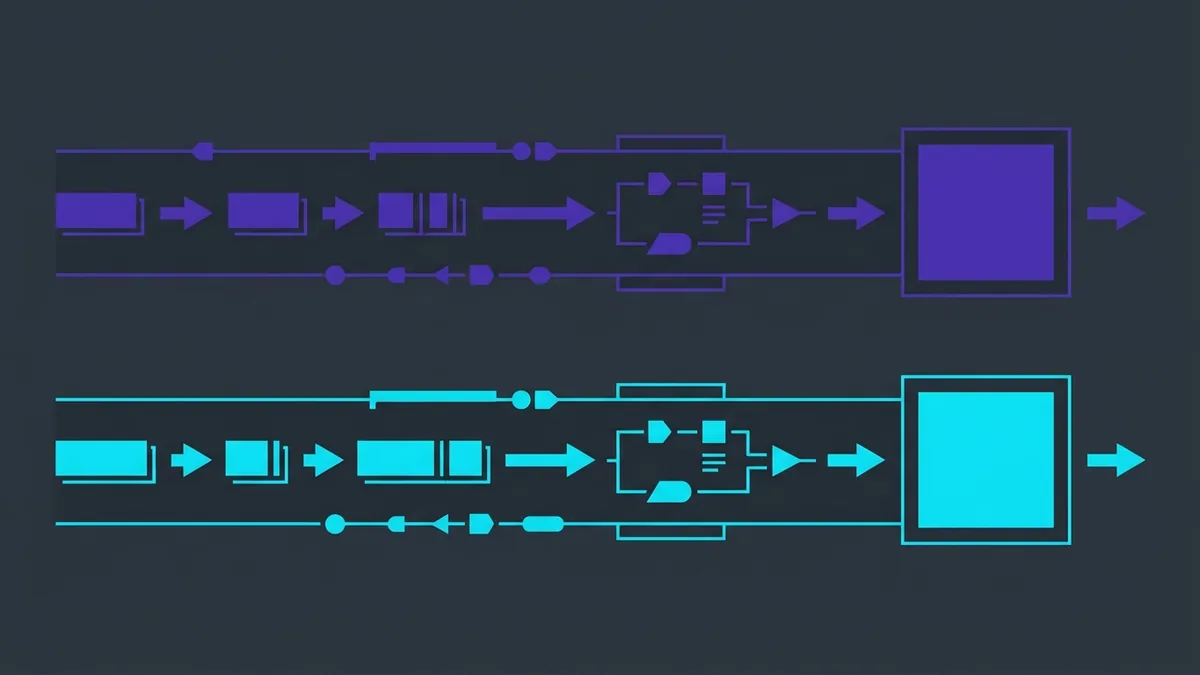
Free-threading support in CPython represents a deep rewrite of core internal interpreter mechanisms. In traditional builds with an active GIL, memory safety and reference counting were guaranteed by a single global lock. The GIL prevented two threads from modifying an object's reference counter simultaneously, preventing memory corruption at the expense of true multi-thread parallelism for CPU-bound workloads.
The specifications introduced by PEP 703 and consolidated by PEP 779 replace the global mutex with fine-grained, low-level synchronization techniques. To eliminate the GIL without destroying single-threaded performance, the CPython team implemented three major pillars in the free-threaded build:
- Deferred Reference Counting: Immutable or heavily accessed objects, such as constants and singletons, do not incrementally update their counters on every access across distinct threads, reducing memory bus contention.
- Mimalloc Allocator and Lock-Free Garbage Collection: CPython memory management was integrated with mimalloc, enabling threads to allocate and deallocate memory in local heaps without locking other threads.
- Biased Locking: Internal object locks prioritize the thread that frequently modifies them, avoiding costly atomic CPU instructions when access is not shared across multiple cores.
In practice, this means pure Python matrix calculations, image processing, data parsing, and hashing routines now scale linearly with the number of physical system cores. The tradeoff is a small 5% to 10% performance penalty on single-threaded code due to necessary atomic operations, but that cost is vastly offset the moment you split work across 8, 16, or more threads.
How to verify and install the python3.14t binary without the GIL
To run GIL-free code in Python 3.14.7, you need the binary compiled with free-threading support. On modern Linux distributions and official installers, this binary carries the t suffix (for threaded), identifying the specific python3.14t build.
You can confirm whether your Python 3.14.7 installation includes compiled free-threading support by invoking the binary with the -VV flag in your terminal:
python3.14t -VV
The output will confirm the presence of the GIL-free build, displaying text similar to Python 3.14.7 free-threading build. However, having the binary installed does not guarantee the GIL will remain disabled throughout your application lifecycle. If your script imports a legacy C extension that does not explicitly declare free-threading compatibility, CPython will re-enable the GIL at runtime to prevent segmentation faults.
To programmatically verify that your code is executing without the GIL, use the sys._is_gil_enabled() function. The following script shows how to inspect runtime status and force lock disabling via an environment variable:
import sys

def verificar_status_gil():
    if hasattr(sys, "_is_gil_enabled"):
        status = sys._is_gil_enabled()
        if status:
            print("[ALERTA] O GIL está ATIVO no momento.")
        else:
            print("[SUCESSO] O GIL está DESATIVADO. Paralelismo real ativo.")
    else:
        print("[ERRO] Esta versão do Python não suporta verificação do GIL.")

if __name__ == "__main__":
    verificar_status_gil()
If you need to force GIL-free execution when using third-party modules lacking compatibility flags, set the PYTHON_GIL=0 environment variable or pass -X gil=0 on the command line:
PYTHON_GIL=0 python3.14t script_paralelo.py
Step-by-step: migrating a CPU-bound benchmark to parallel threads
To measure the practical performance impact of true thread parallelism, let's compare benchmark timings on a CPU-heavy task. The example below repeatedly calculates SHA-256 hashes over a dataset. In traditional Python, this code is capped at 1 core due to the GIL. In free-threaded Python 3.14.7, it scales across available hardware capacity.
The script below compares sequential execution against concurrent thread execution using concurrent.futures.ThreadPoolExecutor:
import hashlib
import time
import sys
from concurrent.futures import ThreadPoolExecutor

# CPU-bound task: intensive hash calculations
def computar_hashes(iteracoes: int) -> int:
    dados = b"dados_de_teste_tecnologia_e_criacao_de_software"
    for _ in range(iteracoes):
        hashlib.sha256(dados).hexdigest()
    return iteracoes

def benchmark():
    if hasattr(sys, "_is_gil_enabled"):
        print(f"Status do GIL: {sys._is_gil_enabled()}")

    tarefas = 8
    iteracoes_por_tarefa = 3_000_000

    print(f"--- Iniciando Benchmark com {tarefas} tarefas ---")

    # 1. Sequential Execution
    inicio = time.perf_counter()
    for _ in range(tarefas):
        computar_hashes(iteracoes_por_tarefa)
    tempo_sequencial = time.perf_counter() - inicio
    print(f"Tempo Sequencial: {tempo_sequencial:.2f} segundos")

    # 2. Parallel Execution with ThreadPoolExecutor
    inicio = time.perf_counter()
    with ThreadPoolExecutor(max_workers=tarefas) as executor:
        futuros = [executor.submit(computar_hashes, iteracoes_por_tarefa) for _ in range(tarefas)]
        for futuro in futuros:
            futuro.result()
    tempo_paralelo = time.perf_counter() - inicio
    print(f"Tempo Paralelo (Threads): {tempo_paralelo:.2f} segundos")

    aceleracao = tempo_sequencial / tempo_paralelo
    print(f"Aceleração (*Speedup*): {aceleracao:.2f}x mais rápido")

if __name__ == "__main__":
    benchmark()
When executing this benchmark on an 8-core CPU using python3.14t, parallel time drops dramatically, reaching a speedup close to 7x-8x. On standard GIL interpreters, the threaded version takes roughly the same time as sequential execution—sometimes even slower due to context switching overhead.
Reference table: when to use threads, processes, or subinterpreters?
With free-threading, Python 3.14.7 offers multiple concurrency and parallelism models. Selecting the correct approach depends on bottleneck type (I/O vs. CPU) and memory sharing requirements.
The reference table below summarizes selection criteria across current ecosystem options:
| Concurrency Model | Best Suited For | Memory Sharing | Creation Overhead | GIL Impact |
|---|---|---|---|---|
Free-Threading (threading) |
Mixed CPU-bound and I/O workloads | Highest (direct shared memory) | Lowest | Disabled (python3.14t) |
Multiprocessing (multiprocessing) |
Isolated CPU tasks on legacy builds | Low (requires IPC / pickle serialization) |
High (process fork/spawn) | Bypasses GIL by spawning processes |
Subinterpreters (interpreters) |
Code isolation and CPU workloads | Medium (message channel IPC) | Medium | Each subinterpreter holds its own GIL |
Async (asyncio) |
I/O-bound tasks (Network, DB, Disk) | High (same thread & event loop) | Minimal | Unaffected (runs on single thread) |
The key advantage of free-threading over multiprocessing is avoiding data serialization via pickle to share objects between workers. Because threads share a unified memory address space, large matrices, datasets, and class instances can be read concurrently with zero copy overhead.
How to manage concurrency and avoid race conditions without the GIL?
The absence of the GIL highlights a detail many developers overlook: the GIL was never a application-level synchronization tool, but rather an internal CPython guard. Without the GIL, operations on built-in data structures that felt atomic in Python code can suffer from race conditions when mutated concurrently across threads.
For instance, incrementing a global integer (counter += 1) is not atomic at the bytecode level. Without a global lock, two threads can read the same stale value before writing updated results back, leading to lost updates.
To maintain data safety when working with free-threading, use explicit synchronization tools like threading.Lock or thread-safe structures like queue.Queue. The snippet below illustrates how to manage shared state across concurrent threads:
import threading
from concurrent.futures import ThreadPoolExecutor

class ContadorSeguro:
    def __init__(self):
        self._valor = 0
        self._trava = threading.Lock()

    def incrementar(self):
        # 'with' block safely acquires and releases the lock
        with self._trava:
            self._valor += 1

    @property
    def valor(self) -> int:
        with self._trava:
            return self._valor

def worker(contador: ContadorSeguro, incrementos: int):
    for _ in range(incrementos):
        contador.incrementar()

def executar_incremento_concorrente():
    contador = ContadorSeguro()
    total_threads = 10
    incrementos_por_thread = 100_000

    with ThreadPoolExecutor(max_workers=total_threads) as executor:
        futuros = [
            executor.submit(worker, contador, incrementos_por_thread)
            for _ in range(total_threads)
        ]
        for futuro in futuros:
            futuro.result()

    print(f"Resultado final do contador: {contador.valor}")
    print(f"Esperado: {total_threads * incrementos_por_thread}")

if __name__ == "__main__":
    executar_incremento_concorrente()
When designing software for the python3.14t executable, stick to this golden rule: read-only data can be safely accessed concurrently without locks, but shared mutable state modified across multiple threads strictly requires a Lock, RLock, or message queue pattern to prevent state corruption.
Conclusion
The maturity of python 3.14 free-threading fundamentally transforms how we build concurrent applications in Python, eliminating historical GIL limitations and delivering real multi-core CPU scaling. By using the python3.14t binary alongside standard threading or concurrent.futures tools, you gain direct hardware acceleration without the overhead of process management or pickle memory duplication.
To ship free-threaded code to production smoothly, verify lock state with sys._is_gil_enabled(), audit C dependencies for thread safety, and protect shared mutable state with explicit locks. True high-throughput parallelism is officially a native CPython standard.