Podman vs Docker on Linux: Run Containers More Securely
Compare podman vs docker on linux for dev environments. Explore rootless architecture, performance benchmarks, Quadlet setup, and security in 2026.
When building and orchestrating dev and production environments, the podman vs docker on linux debate is top of mind for software engineering teams. Docker popularized containerization across tech, but Podman has established itself as a mature, secure alternative that integrates natively with modern GNU/Linux standards. If you want to eliminate processes running with superuser privileges and plug services straight into your OS, understanding the architectural differences between these two container engines is essential.
The industry's shift toward secure, decentralized architectures has reshaped container management across distros like Ubuntu 26.04.1 and Debian 13.7. This isn't just about swapping CLI aliases in your terminal—it's about deciding how your isolated processes interact with the Linux kernel, networking subsystem, and system service manager.
How Do You Compare Podman and Docker Architecture?
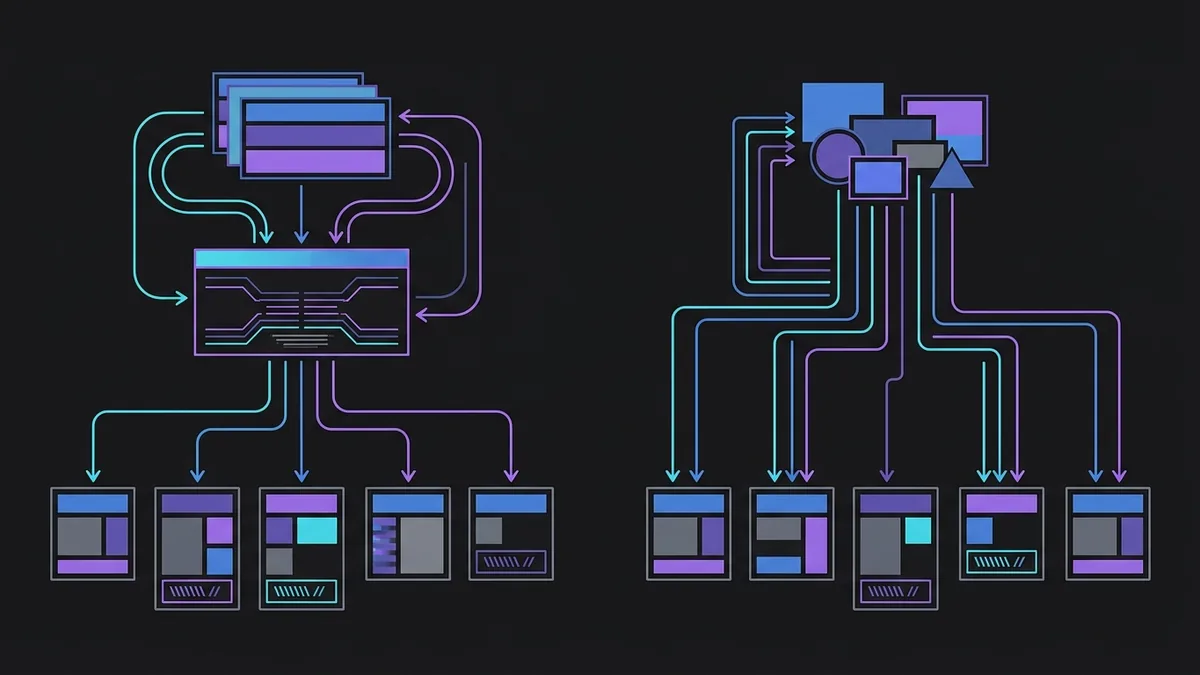
The fundamental difference between these two tools comes down to how they execute containers. Docker uses a traditional client-server model. When you run a CLI command, the Docker client sends a REST API request over a socket to the dockerd daemon. This daemon runs continuously in the background as root, coordinating with containerd and runc to create the required Linux namespaces and cgroups.
Podman (Pod Manager), by contrast, takes a daemonless approach. It relies on standard Unix process management via the fork/exec system call. When you launch a container, the Podman binary itself forks and becomes the parent process of the container using an OCI-compliant runtime like crun or runc. When a container stops, no daemon process stays behind hogging memory or keeping state.
Another key architectural pillar is native rootless container support. While Docker added rootless mode in recent versions, it requires extra setup scripts and helper binaries to route socket communication. In Podman, rootless mode is the default out of the box. It uses Linux kernel user namespaces (user_namespaces) to map UID 0 inside the container to an unprivileged user ID on the host system (like UID 1000), mitigating privilege escalation risks on the host.
How to Evaluate Podman vs Docker on Linux in Dev Workflows?
In daily local development, CLI tools need to be fast and predictable. For individual container management commands, CLI parity is nearly identical. Podman was designed as a drop-in replacement for Docker's CLI, to the point where setting a shell alias is standard practice:
alias docker=podman
Everyday commands like docker run, docker ps, docker build, and docker exec work identically in Podman. However, when you scale up to multi-container orchestration and volume mounting, key operational differences surface that impact your Linux developer experience.
In the Docker ecosystem, docker-compose.yml files are handled natively by the docker compose plugin. With Podman, you have two proven choices: use the podman-compose CLI tool (written in Python 3.14.7) or enable the podman.socket user service, which exposes a Docker-compatible API so official docker compose tools can interact directly with Podman.
When handling filesystem permissions and SELinux (common on Red Hat and Fedora family distributions), Podman enforces strict security boundary controls. To grant write access to volumes mounted from your host machine without altering host file ownership, append the :Z or :z volume flag suffix:
# Example volume mount with SELinux context isolation in Podman
podman run -d \
  --name banco_dados \
  -v ./dados:/var/lib/postgresql/data:Z \
  -e POSTGRES_PASSWORD=segredo_dev \
  postgres:18.6
If your dev setup depends on tools connecting directly to the Docker socket (such as testcontainers in integration pipelines), Podman requires enabling its user-level socket via systemd first:
systemctl --user enable --now podman.socket
export DOCKER_HOST=unix://$XDG_RUNTIME_DIR/podman/podman.sock
Which Tool Delivers Better I/O and Memory Performance?
Making an informed choice requires looking at hardware resource usage, network throughput, and disk I/O. Because Podman runs daemonless, it consumes zero RAM when no containers are active. In contrast, dockerd continuously holds a slice of system memory to maintain its daemon state.
The table below outlines the primary technical differences to guide your decision on Linux:
| Comparison Criterion | Docker | Podman |
|---|---|---|
| Architecture | Client-Server (dockerd daemon) |
Daemonless (Direct Fork/Exec) |
| Rootless Execution | Optional (Requires manual configuration) | Native Default (Rootless) |
| Systemd Integration | Moderate (Managed via daemon) | Native (Quadlet unit files and User Units) |
| Idle RAM Usage | Continuous (~80 MB to 150 MB) | Zero (No running daemon) |
| Rootless Networking | Native Bridge / veth | Pasta / Slirp4netns |
| Kubernetes Pod Support | No (Swarm services only) | Native (podman pod) |
In rootless network throughput benchmarks, Podman utilizes pasta (Pass-Through Adapter), which delivers significantly higher transfer speeds than legacy drivers like slirp4netns. Network latency in Podman matches Docker's native bridge in rootful mode, ensuring low-overhead performance for containerized databases like PostgreSQL 18.6.
Disk I/O performance across both engines is virtually identical when using the overlay2 storage driver. However, because Podman handles container images and layers per-user inside ~/.local/share/containers/storage, resource-heavy image builds won't alter or conflict with images stored by other local host users, granting complete user-level isolation.
How Do You Migrate Your Docker Scripts and Compose Files to Podman?
Migrating a dev environment or Linux server setup from Docker to Podman can be done in incremental steps. Start by auditing your Compose files and transitioning service definitions into native systemd service units using Podman's Quadlet feature.
Quadlet is an integrated Podman component that automatically turns declarative file definitions (ending in .container) into active systemd units. This eliminates the need for messy custom init scripts when configuring containers to launch on server boot or user login.
Here is a practical example of a Quadlet unit file running a Python 3.14.7 API server natively managed by systemd:
# ~/.config/containers/systemd/api_python.container
[Unit]
Description=Python API Container in Production
After=network-online.target

[Container]
Image=python:3.14.7-slim
Exec=python -m http.server 8080
PublishPort=8080:8080
Environment=ENV=production
AutoUpdate=registry

[Service]
Restart=always

[Install]
WantedBy=default.target

To reload systemd and start your new container service without root privileges, run these user commands from your terminal:
# Reload systemd configuration to process the Quadlet file
systemctl --user daemon-reload

# Start systemd-managed container
systemctl --user start api_python.service

# Check container status and system logs
systemctl --user status api_python.service
If you maintain complex docker-compose.yml configurations, Podman lets you parse and launch them using the podman-compose utility:
# Install Podman Compose utility
pip install podman-compose

# Spin up declared Compose infrastructure
podman-compose up -d
Additionally, Podman offers a dedicated command to streamline Kubernetes deployments. You can generate production-ready Kubernetes YAML manifests directly from active local containers:
# Generate a Kubernetes-compatible Pod YAML spec from a running container
podman generate kube meu_container_dev > deployment.yaml
This interoperability lets engineering teams migrate local dev setups directly into managed clusters without writing manifests from scratch.
Conclusion: Which One Fits Your Daily Workflow?
When evaluating podman vs docker on linux, the right choice comes down to your infrastructure needs and security requirements. Docker remains a solid pick for engineering teams with established pipelines that depend heavily on Docker Desktop or integrated cloud ecosystem extensions.
However, Podman stands out as the more secure, modern, and OS-aligned container engine for Linux distributions. Its daemonless architecture, rootless-by-default execution, native Kubernetes Pod support, and deep systemd integration via Quadlet make Podman the top tool for developers and sysadmins who prioritize container security, lower system overhead, and adherence to OCI standards.